


Insurance
Insurance is one of most complicated task now in Indian healthcare industry.
Clinical Plus focuses primarily on three most complicated issues in insurance.
As of now most of the Indian insurance companies don't have computerized internet based solutions, Once patient enter the hospital with insurance card hospital has to get approval from relevant insurance company, Here most of the insurance companies have unique approval request form, these form have to fill by the clinician by manually, next send fax to insurance company to get the approval.
Preparing manually written request form might get lot of writing mistakes, most of the healthcare application don't allow to print from software.
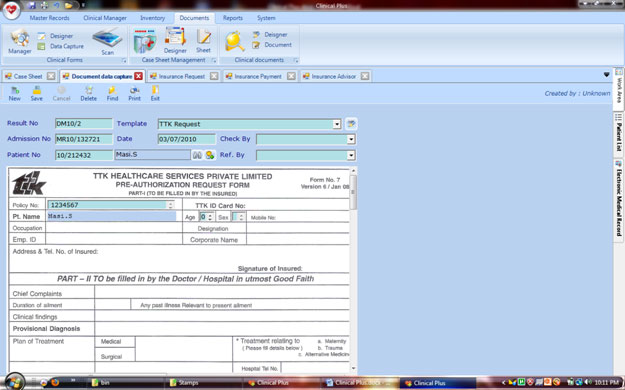
Clinical Plus has the most interesting tool to fill any pre printed form with patient information in exact locations of the pre printed paper.
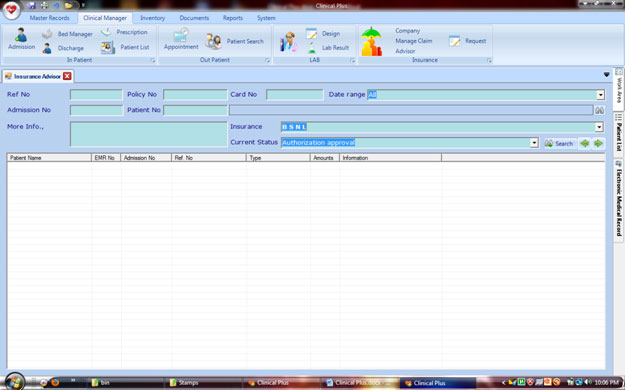
Insurance Advisor is the centralized insurance management screen. From here healthcare professionals could get the clear status about the insured patient eligibility of treatment from the respective insurance provider.
Insurance Eligibility & Status
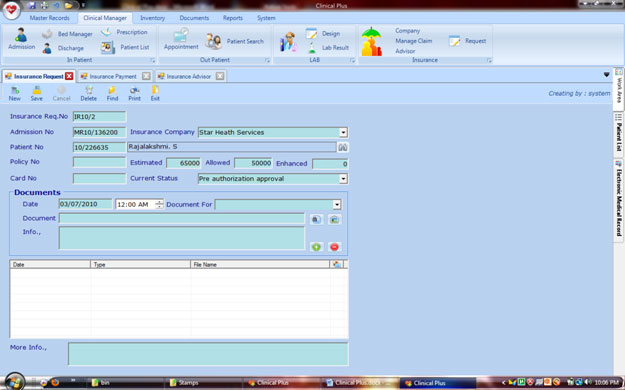
The above user interface is doing the main role in the insurance management module. Here the user needs to create a record whenever patients request the treatment payment from insurance provider.
Current status should be updated by the user whenever the insurance company gives the feedback for the particular patient.
Here user has to enter the estimated cost and accepted cost of the insurance provider.
Also whenever the document sent to the insurance provider and receives the documents or queries from the provider, it has to be updated in this screen for future reference.
Template designer
This tool called as Template designer, in few steps you can start to fill the blanks from your software by typing the contents,
1. Scan your request form and save in your hard drive.
2. Go to template designer tool, create a new template.
3. Select these scanned documents as BG Image
4. Fill the blanks with relevant tool controls; it's available in the top of designer
5. Save the template

To print pre-printed forms with relevant information's, to do the following steps.
1. Select document capture tool to fill the information on pre printed forms.
2. Select your pre printed form from template combo box.
3. Now you can fill information on the selected location of pre printed forms.
4. Now save and take the filled pre printed forms by press the print button.
Document management
Every day hospitals might cross n number of documents for many purposes. But in the real time whenever we need any particular document identifying the right document is a complicated task.
Another major problem is to keep all the documents in a secure place.
To resolve this kind of problem clinical plus has given a wonderful paperless solution
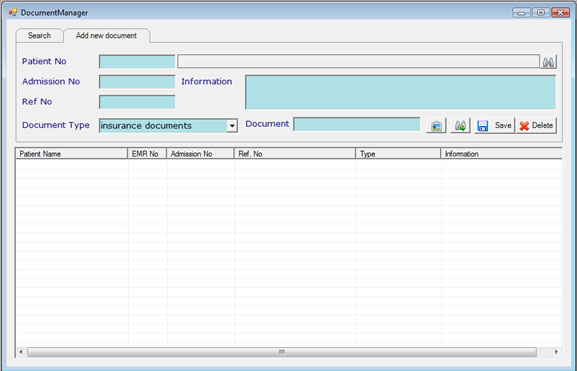
From the below screen user can be add any document to the server with certain attribute like patients, admission information, document related key words. Using these attributes user can search and print the uploaded documents within few seconds.
Document manager also supports adding the document using scanning device.